

 Arabic
 ελληνικά
 български
 čeština
 Dansk
Dansk Deutsch
 Español
 Eesti
Eesti Suomi
Suomi Français
 ברִית
ברִית Hrvatski
 Magyar
 Indonesia
 Italiano
 日本語
日本語 한국인
한국인 lietuvis
 Norsk Bokmål
 Netherlands
 Polski
 Português
 Pусский
 Slovenčina
 Cрпски
 Svenska
 แบบไทย
 Türkçe
 Yкраїнська
 Tiếng Việt
 简体中文
简体中文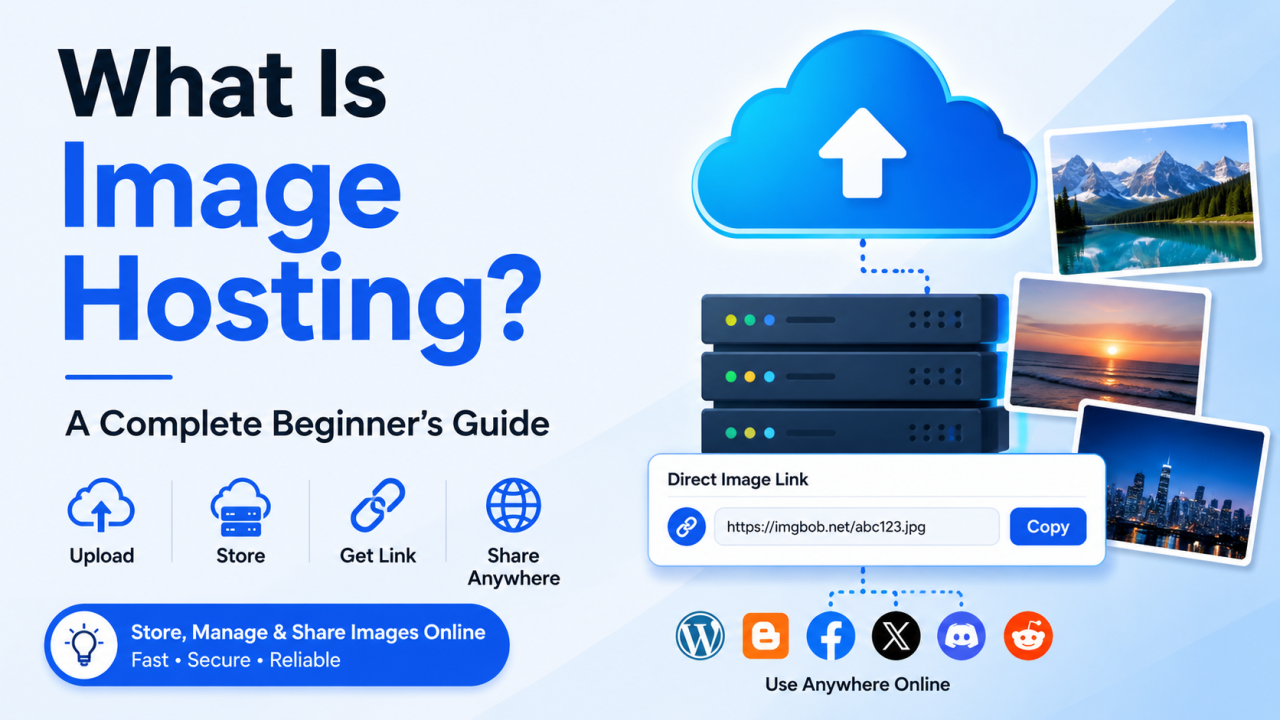
What Is Image Hosting? Complete Beginner's Guide (2026)
What Is Image Hosting?
Images are an essential part of the modern web. From personal photo collections and blog posts to eCommerce product galleries and social media content, billions of images are uploaded and shared online every day. But have you ever wondered where these images are actually stored?
The answer is image hosting.
Image hosting is a service that allows you to upload, store, manage, and share images on the internet. Instead of storing image files directly on your own device or website server, an image hosting platform securely stores them on powerful cloud servers and generates a shareable URL that you can use anywhere online.
Whether you're a blogger, web developer, designer, photographer, online seller, or casual internet user, image hosting makes it easier to access and share your images quickly and efficiently.
Table of Contents
- What Is Image Hosting?
- How Does Image Hosting Work?
- Why Do You Need Image Hosting?
- Types of Image Hosting
- Features of a Good Image Hosting Service
- Benefits of Image Hosting
- Common Uses of Image Hosting
- Image Hosting vs Cloud Storage
- Image Hosting vs Website Hosting
- Supported Image Formats
- How to Choose the Best Image Hosting Platform
- Best Practices
- Common Mistakes to Avoid
- Frequently Asked Questions
- Conclusion
What Is Image Hosting?
Image hosting is an online service that stores your image files on dedicated servers and provides direct links that allow you to display or share those images on websites, blogs, forums, emails, and social media.
Instead of uploading an image every time you want to use it, you upload it once to an image hosting platform and then reuse its unique URL wherever needed.
For example, after uploading an image, you may receive:
- Direct Image URL
- HTML Embed Code
- BBCode for forums
- Markdown Image Link
- Share Link
This makes sharing images fast, simple, and efficient.
How Does Image Hosting Work?
The process is straightforward.
Step 1: Upload an Image
Select an image from your computer, smartphone, or tablet.
Step 2: Image Is Stored
The hosting platform stores your file on secure cloud servers.
Step 3: URL Generation
The system automatically generates one or more image links.
Step 4: Share Anywhere
Copy the link and use it on:
- Websites
- Blogs
- Forums
- Emails
- Social Media
- Messaging Apps
Whenever someone opens that link, the hosted image is loaded directly from the image hosting server.
Why Do You Need Image Hosting?
Using an image hosting platform offers many advantages over storing images locally or directly on a website server.
Faster Sharing
A single upload gives you a reusable image URL that works almost anywhere.
Save Website Storage
Large image libraries can consume valuable hosting space. Offloading images to a dedicated image host helps reduce storage usage on your web server.
Better Website Performance
Dedicated image hosts are often optimized for fast image delivery, reducing page load times.
Easy Collaboration
Share image links with clients, coworkers, or friends without sending large email attachments.
Reliable Availability
Professional image hosting services use redundant storage systems to reduce the risk of data loss.
Types of Image Hosting
Free Image Hosting
Offers free uploads with basic features and generous storage limits for everyday users.
Ideal for:
- Bloggers
- Students
- Forums
- Social media users
Premium Image Hosting
Paid plans usually include:
- More storage
- Higher upload limits
- Faster servers
- Advanced privacy controls
- API access
- Analytics
Anonymous Image Hosting
Allows image uploads without creating an account.
Perfect for quick sharing.
Private Image Hosting
Lets you control who can access your images through privacy settings or password protection.
Temporary Image Hosting
Automatically deletes uploaded images after a selected period.
Useful for temporary sharing.
Permanent Image Hosting
Stores images indefinitely until you choose to delete them.
Features of a Good Image Hosting Service
A quality image hosting platform should include:
- Fast uploads
- Secure cloud storage
- Direct image links
- Drag-and-drop uploads
- Mobile-friendly interface
- Bulk uploads
- Multiple image formats
- Privacy controls
- HTTPS encryption
- High availability
- CDN support
- Easy sharing
- Responsive image delivery
- Search and organization tools
Benefits of Image Hosting
1. Faster Website Loading
Images are delivered efficiently, improving user experience.
2. Easy Image Sharing
Share a single URL instead of sending large files.
3. Improved Organization
Manage images in folders, albums, or categories.
4. Better Scalability
Host thousands of images without heavily impacting your website storage.
5. Global Accessibility
Access images from anywhere with an internet connection.
6. Reliable Backups
Many platforms include redundancy and backup mechanisms.
7. Enhanced Security
Secure connections (HTTPS) and access controls help protect your content.
Common Uses of Image Hosting
Image hosting is useful for many purposes.
Blogging
Host featured images, screenshots, and illustrations.
eCommerce
Store product photos and gallery images.
Photography
Create online portfolios and share high-resolution photos.
Web Development
Host website assets, icons, and UI graphics.
Social Media
Share images quickly across multiple platforms.
Forums
Use direct image links and BBCode.
Documentation
Include screenshots in tutorials and knowledge bases.
Image Hosting vs Cloud Storage
Image HostingCloud StorageOptimized for imagesStores all file typesProvides direct image linksMainly designed for file storageEasy embeddingLimited image embeddingBuilt for websitesBuilt for backups and file sharingFast image deliveryGeneral file access
Image Hosting vs Website Hosting
Website hosting stores your entire website, including pages, databases, scripts, and media.
Image hosting focuses specifically on storing and delivering images efficiently.
Many website owners use both together:
- Website Hosting → Website files
- Image Hosting → Images
Supported Image Formats
Most modern image hosting platforms support:
- JPG / JPEG
- PNG
- GIF
- WebP
- SVG
- BMP
- TIFF
- AVIF (on some platforms)
- HEIC (on some platforms)
How to Choose the Best Image Hosting Service
Consider the following factors:
Storage Capacity
Choose enough storage for your current and future needs.
Upload Limits
Check the maximum file size supported.
Speed
Fast uploads and quick image delivery improve user experience.
Security
Look for HTTPS encryption and privacy options.
Reliability
Choose a platform with strong uptime and dependable infrastructure.
Supported Formats
Ensure compatibility with the image types you use.
Sharing Options
Direct links, embed codes, and social sharing features can save time.
Mobile Support
A responsive interface or mobile app makes uploads easier.
Best Practices for Image Hosting
- Compress images before uploading.
- Use descriptive file names.
- Add alt text when embedding images on websites.
- Organize files into folders or albums.
- Avoid uploading duplicate images.
- Keep backups of important files.
- Use secure HTTPS links.
- Optimize images for web use.
Common Mistakes to Avoid
- Uploading extremely large images without optimization.
- Using unsupported file formats.
- Sharing private images publicly.
- Forgetting to back up valuable images.
- Ignoring image organization.
- Using poor-quality images.
- Overloading website servers with unnecessary media.
Frequently Asked Questions
Is image hosting free?
Many image hosting services offer free plans with optional premium upgrades.
Can I upload images without creating an account?
Some platforms support anonymous uploads, while others require registration.
Is image hosting safe?
Yes, reputable providers use secure servers, HTTPS encryption, and privacy controls.
Can I use hosted images on my website?
Yes. Most services provide direct image URLs and embed codes for websites and blogs.
Does image hosting improve website speed?
It can help by reducing the load on your primary web server and delivering images efficiently.
Can I share hosted images on social media?
Yes. Most platforms provide shareable links that work across social media, messaging apps, and forums.
Is there a limit to how many images I can upload?
Limits vary by provider and plan. Free accounts may have storage or upload restrictions, while premium plans generally offer higher limits.
Final Thoughts
Image hosting is one of the easiest and most effective ways to store, organize, and share images online. Whether you're running a website, publishing blog posts, selling products, showcasing photography, or simply sharing pictures with friends, a dedicated image hosting service provides greater convenience, flexibility, and performance than relying solely on local storage or standard website hosting.
By choosing a reliable platform, optimizing your images, and following best practices, you can ensure that your images remain fast, accessible, and secure for both you and your audience.
As your collection grows, a well-managed image hosting solution becomes an important part of maintaining an organized and efficient online presence.
Comments (0)